
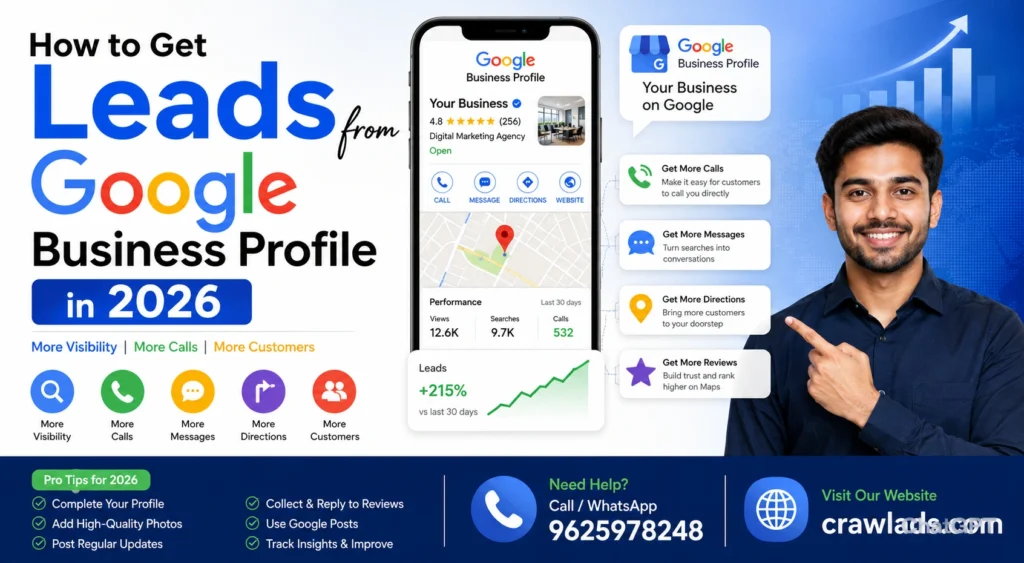
How to Get Leads from Google Business Profile in 2026
Most business owners set up their Google Business Profile once — fill in the name, address, phone number — and never touch it again.Then they wonder why competitors keep showing up on Google Maps and they don’t.
Here’s the truth: Google Business Profile is one of the highest-ROI tools available to any local business in 2026. It’s free. It shows up before websites. And when done right, it generates leads daily — calls, direction requests, WhatsApp messages, form fills.
This guide covers exactly what to do. Step by step. No fluff.
Table of Contents
- What Google Business Profile Actually Does in 2026
- Complete Profile Setup — The Basics Most People Miss
- How to Rank Higher on Google Maps
- Google Posts — The Underused Lead Generator
- Reviews — How to Get Them and Use Them
- GBP Features That Drive Direct Leads
- Tracking — How to Know What’s Working
- FAQ
What Google Business Profile Actually Does in 2026 {#what-gbp-does}
Quick answer for Google: Google Business Profile (GBP) is a free tool that lets businesses appear in Google Search and Maps. An optimized GBP profile shows your business in the “Local Pack” — the map section with 3 listings that appears at the top of search results for local queries.
When someone searches “plumber in Dwarka” or “GMB Expert in Faridabad” — they see the map pack first. Not websites. Not ads necessarily. The map pack.
Getting into that map pack — and staying there — is what local SEO and GBP optimization is all about.
The three things Google uses to rank GBP listings:
- Relevance — Does your profile match what the person searched?
- Distance — How close is your business to the searcher?
- Prominence — How well-known and trusted is your business online?
You can’t control distance. But you can absolutely control relevance and prominence. That’s where the work happens.
Complete Profile Setup — The Basics Most People Miss {#complete-setup}
Before anything else — your profile needs to be 100% complete. Sounds obvious. Most profiles aren’t.
Business Name
Use your exact legal/trading name. Don’t stuff keywords in here like “XYZ Plumbing — Best Plumber Delhi.” Google can suspend your listing for this.
Category Selection
This is critical. Your primary category tells Google what you do. Choose the most specific one available. Then add secondary categories for everything else you offer.
A digital marketing agency might set:
- Primary: Digital Marketing Agency
- Secondary: SEO Agency, Advertising Agency, Marketing Consultant
Business Description
You get 750 characters. Use them properly. Include your primary keyword naturally in the first 250 characters. Mention your city, your main services, and what makes you different. Don’t make it sound like a brochure — write it like you’re explaining to a friend what you do.
Services Section
Add every single service you offer. With descriptions. Most businesses add 3–4 services and leave it there. Add 15–20 if you have them. Google uses this to match your listing to searches.
Photos — This One Is Huge
Profiles with photos get significantly more clicks and direction requests. What to upload:
- Exterior of your office/shop (so people recognize it)
- Interior shots
- Team photos
- Work samples or before/after
- Products if applicable
Aim for minimum 15–20 photos. Update them regularly. According to Google’s own research, businesses with photos receive 42% more requests for directions and 35% more website clicks.
Business Hours
Keep these accurate. Update for holidays. Nothing kills trust faster than showing up to a business that GBP says is open — and it’s closed.
How to Rank Higher on Google Maps {#rank-higher}
This is where most guides get vague. Let’s be specific.
Consistency Across All Platforms
Your NAP — Name, Address, Phone Number — needs to be identical everywhere. Your website, Justdial, Sulekha, IndiaMart, Facebook, Instagram. Even one letter difference matters.
Google cross-references these sources to verify your business is real and legitimate. Inconsistencies create doubt. Doubt = lower rankings.
Get Listed on Local Directories
Submit your business to:
- Justdial
- Sulekha
- IndiaMart
- India Business Directory
- Your industry-specific directories
These are called citations. More consistent citations = more trust from Google.
Your Website and GBP Need to Match
If your GBP says you’re a “SEO Service in delhi” — your website homepage should also mention delhi and digital marketing clearly. Google connects the dots between your site and your GBP profile.
Embed Google Maps on Your Website
Sounds minor. Actually helps. Embedding your Google Maps location on your website’s contact page creates a clear signal connecting your site to your GBP listing.
Google Posts — The Underused Lead Generator {#google-posts}
Almost nobody uses Google Posts consistently. That’s your opportunity.
Google Posts are like mini-blog posts or social media updates that appear directly on your GBP profile. They show up in search results. They can include photos, text, and calls to action — Call Now, Book, Get Offer, Learn More.
What to post:
- Weekly offers or promotions
- New service announcements
- Client success stories (without revealing private info)
- Local events or news relevant to your business
- Blog content summaries with links to your website
Post at least once a week. Google Posts expire after 7 days for most types — so consistency matters.
Here’s what makes a good post: short headline with your keyword, 2–3 sentences of useful content, one clear CTA. That’s it.
Neil Patel’s guide on GBP has a good section on post strategy if you want to go deeper.
Reviews — How to Get Them and Use Them {#reviews}
Reviews are probably the single biggest factor in both GBP rankings and conversion rate. A business with 4.7 stars and 80 reviews will almost always outperform one with 4.9 stars and 6 reviews.
How to actually get reviews:
The most effective method is embarrassingly simple. After you complete a job or deliver a service — ask. Directly. “Hey, if you were happy with the work, would you mind leaving us a quick Google review? It really helps us.”
Then send them a direct link to your review page. Don’t make them search for it.
To get your review link: Go to your GBP dashboard → Get more reviews → Copy link.
What to do with negative reviews:
Don’t ignore them. Don’t argue. Respond professionally, acknowledge the concern, and offer to resolve it. One good response to a bad review can actually build more trust than ten good reviews — because it shows you’re a real business that cares.
Using reviews as content:
Screenshot your best reviews. Use them in your WhatsApp status, Instagram stories, website testimonials page. Social proof works everywhere.
Check out how Search Engine Land covers review management — it’s a useful framework.
GBP Features That Drive Direct Leads {#gbp-features}
Messaging / Chat
Enable GBP messaging so customers can message you directly from your profile. In 2026, people would rather send a quick message than call. If you’re not responding within a few hours — turn it off. Slow responses hurt your profile.
Q&A Section
Google lets anyone ask questions on your profile — and anyone can answer. Including you. Go add the questions your customers most commonly ask, and answer them yourself. This is free content that shows up on your profile and helps conversions.
Common questions to add:
- “What are your timings?”
- “Do you offer free consultations?”
- “Do you serve [nearby area]?”
- “What is the starting price for [service]?”
Booking Button
If you use any booking software — Calendly, SimplyBook, even a WhatsApp link — connect it to GBP. Reducing friction between “found you” and “booked you” is everything.
Products and Services
Add your services with prices if possible. When someone sees your service, a price range, and a Call or Message button — the conversion path becomes very short.
Our GBP optimization service handles all of this setup if you’d rather have it done properly from the start.
Tracking — How to Know What’s Working {#tracking}
GBP has built-in analytics called “Performance” in your dashboard. Check these monthly:
| Metric | What It Tells You |
| Search queries | What people searched to find you |
| Profile views | How many people saw your listing |
| Direction requests | People who wanted to visit physically |
| Calls | Direct calls from the profile |
| Website clicks | People who went to your site |
| Messages | Direct messages via GBP chat |
If your profile views are high but calls are low — your profile isn’t compelling enough. Better photos, stronger description, more reviews.
If profile views are low — you have a ranking problem. You need more citations, more reviews, better keyword relevance.
The numbers tell you exactly what to fix. Most people never check them.
Connect your GBP to Google Search Console too — it shows you which search queries are bringing up your profile in regular search results, not just Maps.
If you want help reading these numbers and building a proper local SEO strategy, talk to our team — we do free audits.
FAQ {#faq}
Q1: How to get leads from Google Business Profile without spending money on ads?
Fully optimize your profile — complete every section, add 15+ photos, get 20+ genuine reviews, post weekly Google Posts, and fill out your Q&A section. Enable messaging. These steps alone can generate consistent organic leads without any ad spend. It takes 2–3 months to see full results.
Q2: How many reviews do I need to rank well on Google Business Profile in 2026?
There’s no magic number. But generally, having more reviews than your top competitors in your area is the goal. For most local businesses in Delhi, 25–50 genuine reviews puts you in a competitive position. Quality and recency matter too — getting 5 reviews every month is better than getting 50 reviews once and then nothing.
Q3: How often should I post on Google Business Profile to generate leads?
At minimum, once a week. Google Posts expire after 7 days, so posting regularly keeps your profile fresh and active. Businesses that post consistently tend to rank higher and get more profile engagement. 2–3 posts per week is ideal if you can manage it.
Q4: Can Google Business Profile alone generate leads without a website?
Yes, for many local businesses. Calls, direction requests, messages, and even bookings can all happen directly through GBP without someone visiting your website. That said, having even a basic website significantly improves your credibility and gives Google more information to associate with your listing.
Q5: How long does it take to see leads from Google Business Profile optimization?
For most businesses starting from scratch or with a neglected profile, 6–12 weeks of consistent optimization work shows clear results. Rankings improve, calls increase, and profile views grow. The full impact of a well-optimized GBP is usually visible at the 3–4 month mark.
The Bottom Line
Your Google Business Profile is not a “set it and forget it” thing. It’s a living, active marketing channel.
The businesses that show up at the top of Google Maps in your area aren’t there by luck. They’re posting regularly. They’re responding to reviews. Their profiles are complete. They’re collecting citations. They’re treating GBP like it matters — because it does.
Start with the basics: complete your profile fully, get 10 genuine reviews this month, post once a week. Those three things alone will move your Google Business Profile ranking more than most paid services will.
And if you want the whole thing handled — optimization, posts, reviews strategy, citation building, monthly reporting — that’s what CrawlAds does for local businesses across Delhi. See our local SEO services or just reach out directly.