
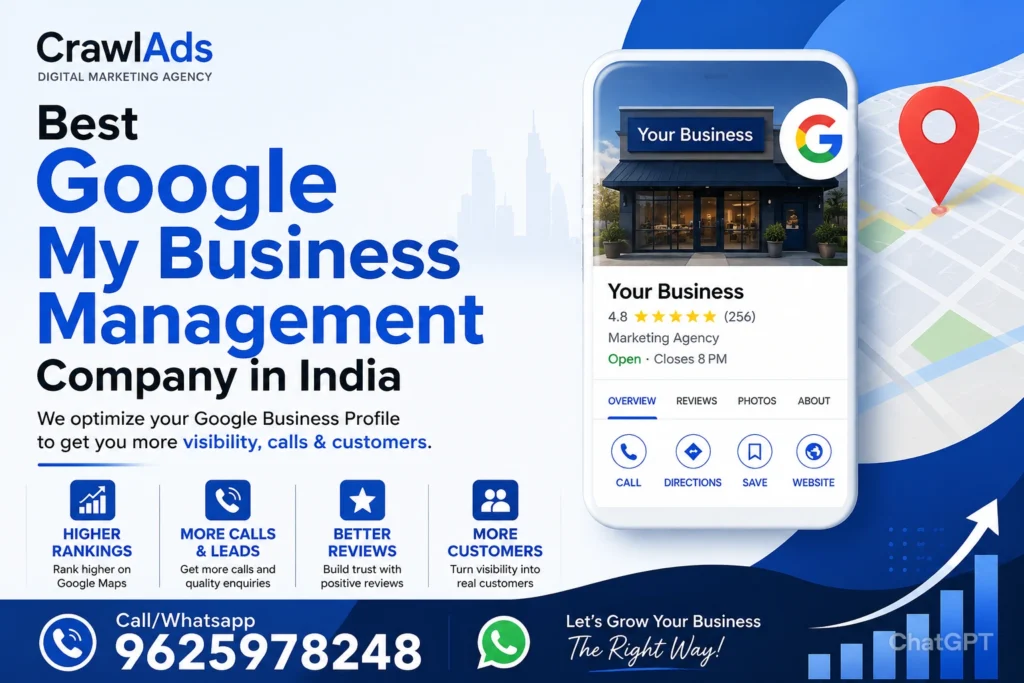
Best Google My Business Management Company in India – Complete Guide for Business Growth
If you are searching for the best Google My Business management company in India, you are probably facing one of these problems — your business is not ranking on Google Maps, calls are low, reviews are not increasing, or your competitors are getting more visibility than you.
That’s where professional Google Business Profile optimization becomes important.
At CrawlAds, we help local businesses improve their Google presence through complete Google My Business management services. From profile optimization and keyword targeting to suspension recovery and review management, our goal is simple — help businesses generate more calls, leads, and walk-in customers.
Why Google My Business Is Important in 2026
Today, customers search on Google before contacting any business. Whether someone needs a restaurant, clinic, gym, digital marketing agency, or local service provider, they usually click businesses that appear in the Google Maps top results.
A properly optimized Google Business Profile can help you:
- Increase local visibility
- Generate direct calls
- Improve trust through reviews
- Rank in Google Maps
- Drive more website traffic
- Get leads without spending heavily on ads
Businesses that ignore local SEO often lose customers to competitors who actively optimize their Google listings.
What Does a Google My Business Management Company Do?
A Google My Business management company in India helps businesses manage and optimize their Google Business Profile professionally.
This usually includes:
Profile Optimization
Your profile needs proper keywords, categories, services, descriptions, images, and business information. Many businesses create a profile but never optimize it correctly.
Google Maps Ranking Strategy
Ranking in local search results requires more than just creating a listing. Proper keyword targeting, citations, engagement, reviews, and content updates are important.
Review Management
Reviews directly impact trust and ranking. A professional agency helps improve your review strategy while maintaining authenticity.
Suspension Recovery
Many businesses face suspended Google Business Profiles due to guideline violations or verification issues. An experienced team can help recover and optimize the listing safely.
Weekly Posting & Updates
Regular updates, offers, and posts improve profile activity and visibility.
Why Businesses Need the Best Google My Business Management Company in India
Most business owners try to manage their profile themselves, but local SEO has become highly competitive.
Without strategy, businesses face issues like:
- Profile not ranking
- Low impressions
- Fake competitors outranking them
- Wrong business categories
- Poor optimization
- Few customer calls
- Suspended profiles
- No local traffic
Working with the best Google My Business management company in India helps businesses avoid these mistakes and focus on growth.
How CrawlAds Helps Businesses Grow Through Google Business Profile Optimization
At CrawlAds, we focus on practical growth instead of fake promises.
Our Google My Business management services are designed for businesses that want:
- More local leads
- Better Google Maps rankings
- More calls from customers
- Strong local brand presence
- Higher trust and reviews
We work with:
- Local businesses
- Clinics
- Restaurants
- Travel agencies
- Coaches
- Real estate businesses
- Salons
- Ecommerce support businesses
- Service providers
Our Google My Business Management Services
1. Complete Google Business Profile Setup
We create and optimize your profile professionally with:
- Correct categories
- SEO-friendly business descriptions
- Service setup
- High-quality image optimization
- Product/service listing
- Keyword-focused content
- Google Maps SEO Optimization
This is one of the most important parts of local SEO.
We optimize your profile using local ranking signals like:
- Geo-targeted keywords
- Review strategy
- Citation consistency
- Service area optimization
- Business authority improvements
This helps increase your visibility in Google Maps.
- Review Growth Strategy
Reviews improve both trust and rankings.
We help businesses:
- Increase genuine reviews
- Improve review response strategy
- Build customer trust
- Maintain profile engagement
Positive reviews can significantly improve conversion rates.
- Google Business Profile Suspension Fix
Many businesses contact us after their listing gets suspended.
Common reasons include:
- Keyword stuffing
- Address issues
- Multiple listings
- Guideline violations
- Fake edits
- Verification problems
Our team analyzes the issue and helps restore the profile safely.
- Weekly GMB Posting
Google likes active profiles.
We create optimized weekly posts including:
- Offers
- Updates
- Service promotions
- Business announcements
- Local SEO content
This improves engagement and profile freshness.
Real Client Case Study – Local Business Growth with CrawlAds
One of our clients from Delhi contacted us because their business profile was not generating calls despite having good services.
Problems They Faced
- Low visibility on Google Maps
- Only 3–4 calls weekly
- Poor profile optimization
- No keyword targeting
- Inactive profile
What CrawlAds Did
We optimized:
- Business categories
- Description with local keywords
- Images and services
- Weekly posting strategy
- Review responses
- Location relevance signals
Results After 90 Days
- Google Maps visibility improved
- Calls increased by over 180%
- Website traffic improved
- More local keyword rankings
- Better trust through reviews
This is why businesses prefer working with a professional Google My Business management company in India instead of handling everything randomly.
Best Google My Business Management Company in Delhi
Delhi is one of the most competitive local business markets in India.
Businesses in areas like:
- Uttam Nagar
- Janakpuri
- Tilak Nagar
- Dwarka
- Rohini
- Rajouri Garden
need strong local SEO to compete effectively.
CrawlAds helps Delhi businesses improve their Google visibility with practical local SEO strategies.
Best Google My Business Management Company in Noida
Noida businesses face intense competition in industries like:
- Real estate
- IT services
- Coaching
- Restaurants
- Healthcare
A properly optimized Google Business Profile can generate consistent local leads without depending only on paid ads.
Best Google My Business Management Company in Mumbai
Mumbai businesses often struggle due to high competition and dense local markets.
Our optimization strategy focuses on:
- Local authority
- Review improvement
- Google Maps visibility
- Conversion-focused optimization
This helps businesses stand out in competitive cities like Mumbai.
Who Is Google SME Partner in India?
Google SME partners are agencies or companies that help small and medium businesses grow through Google-related services like ads, business profiles, and digital marketing solutions.
While many agencies claim expertise, businesses should choose companies based on:
- Real client results
- Transparency
- Reviews
- Experience
- Local SEO knowledge
Which Is the Best Google Business Profile Creation Company?
The best company is one that focuses on long-term optimization instead of just creating the profile.
A proper Google Business Profile strategy includes:
- SEO optimization
- Engagement improvement
- Review management
- Maps ranking
- Conversion optimization
At CrawlAds, we focus on all these areas together.
Who Is the Best Google Ads Agency in India?
Google Ads and Google Business Profile optimization work best together.
Businesses using both strategies often generate:
- Faster leads
- Better local visibility
- More conversions
- Stronger brand trust
As a digital marketing agency, CrawlAds also helps businesses with:
- Google Ads
- Meta Ads
- SEO
- Website optimization
- Lead generation
What Are the Top 10 Marketing Companies in India?
India has many digital marketing agencies, but businesses should not select agencies only based on popularity.
Instead, focus on:
- Transparency
- Real strategies
- Communication
- Reporting
- Local SEO expertise
- ROI-focused approach
Small and medium businesses often get better support from focused agencies rather than large firms handling thousands of accounts.
What Is Big 4 Marketing?
The term “Big 4” is usually associated with major consulting firms, but in marketing, businesses often refer to top agencies with large client portfolios.
However, for local SEO and Google Business optimization, smaller specialized agencies often provide better attention and faster execution.
Why CrawlAds Is Different from Other Agencies
Many agencies promise rankings without proper strategy.
At CrawlAds, we focus on:
Transparency
You know what work is being done on your profile.
Real Optimization
No fake reviews or spammy techniques.
Local SEO Expertise
We understand how Google Maps ranking works.
Lead-Focused Strategy
Our goal is not just rankings — it’s calls and customers.
Affordable Plans
Businesses can start without huge investments.
Signs Your Business Needs Google My Business Optimization
You should optimize your profile if:
- Your competitors rank above you
- Calls are decreasing
- Reviews are low
- Your profile is suspended
- Customers cannot find you on Maps
- Your business appears for wrong keywords
- Website traffic is low
Ignoring local SEO can directly affect revenue.
Future of Google Business Profile Optimization
Google is continuously improving local search.
Businesses that regularly optimize their profiles will have advantages in:
- Voice search
- AI search results
- Google Maps recommendations
- Local discovery
This makes local SEO more important than ever.
FAQs – Google My Business Management Company in India
Which is the best Google My Business management company in India?
The best agency is one that provides real optimization, transparency, and local SEO expertise. CrawlAds focuses on helping businesses generate real local leads instead of vanity metrics.
How much does Google My Business management cost?
Pricing depends on services like optimization, posting, review management, and suspension recovery. Costs vary based on competition and business goals.
Can Google Business Profile help increase leads?
Yes. A properly optimized profile can generate calls, website visits, and local enquiries consistently.
How long does Google Maps ranking take?
Most businesses start seeing improvements within 1–3 months depending on competition and optimization quality.
Is Google Business Profile free?
Yes, creating a profile is free, but professional optimization helps improve rankings and visibility significantly.
Can CrawlAds recover suspended profiles?
Yes. We help businesses analyze suspension reasons and assist with profile recovery and re-optimization.
Ready to Grow Your Business with Google Maps SEO?
If you want more local customers, better visibility, and higher rankings, working with the best Google My Business management company in India can make a huge difference.
At CrawlAds, we help businesses turn Google searches into real customers.
Contact CrawlAds
Call/WhatsApp: 9625978248
Website: crawlads.com
Get a free consultation and discover how your Google Business Profile can generate more calls, leads, and local growth for your business.